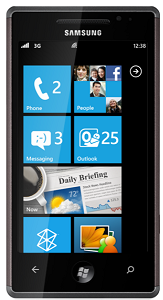
Samsung Omnia Updates Suspended Windows Phone 7

samsung omnia review

samsung omnia reviewMicrosoft have confirmed that there has been an issue:-

“We’ve identified a technical issue with the Windows Phone update process that impacts a small number of Samsung phones. We’re working to correct the problem as quickly as possible. But as a precaution, we’ve briefly suspended updates to Samsung phones.”
Read more: http://crave.cnet.co.uk/mobiles/microsoft-suspends-windows-phone-7-update-for-samsung-omnia-7-50002904/#ixzz1Es45Oqxi

iPad2 Release Date in the UK

iPad Review

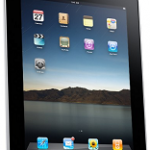
iPad ReviewIt looks like the unveiling of the iPad in the UK will take place on the 2nd of March, as for actual UK availability and prices, well, that is a mystery, get ready to press reset and lets all start talking about the iPad3 release date?
No doubt we will all be hoping that the iPad3 has a load of the features the iPad and the iPad2 have missing!

Windows 7 Phone WiFi Tethering USB

samsung omnia review

samsung omnia reviewThe new Windows 7 phones apparantly don’t support tethering, possibly due to increased pressure from the phone companies, who want to sell Dongles on seperate plans?

Here is a way to enable it on a Samsung Omnia 7:-

1) dial ##634# on your keypad then press Call. You’ll go into the Diagnosis Menu with a number keypad.

2) enter *#7284# and a Micro USB Test dialogue will appear, make sure you have setup Zune with wireless sync first, otherwise Zune stops working.

3) find out the dial-up connection settings with your carrier. and create a “dial-up” modem on your PC, It will usually be something like this:-

Dial number: *99***#
Username: guest
Password: guest

5 minute review of Windows 7 Phones

samsung omnia review

samsung omnia reviewI have been a Windows mobile user for the last 5 years, i haven’t really had a choice due to the systems we use at work, which were written to run on Windows phones, i did try an iPhone and an Android phone last year, but was not impressed. When T-Mobile called me and said i was due an upgrade I ordered a new Samsung Omnia Windows 7 phone right away, and after it arrived I was initially super impressed with the look and feel of the all new windows phone, my love for the new phone was however very short lived, as there seems to be a whole load of essential features that have been removed….i can’t see why they would have done this…

The good things:

Touch interface, Facebook integration,camera, multiple Exchange account support, full Office 2010 features, all the social media features.

The not so great things:

Battery life, if you use it heavily it only just does a day, and that’s with a new battery.

Screen lock, you need a password after each screen lock, even if you last used it 10 seconds ago, it is just plain annoying!

The bad things and features removed from Win 6.5

When replying to an email, there is no option to edit the senders reply, this has always been there and is essential to the email system we use.

Schedule on Activesync removed, it Syncs all the time, even through the night! The option to only have it sync during the working week 8am-6pm for example has been removed.

The dialer doesn’t integrate with the phonebook, dialing the first few digits of a number in Windows Mobile 6.5 prompts you with a list of similar matching numbers, this feature has been removed in Windows 7 phones and yet is something that was used every time i made a call in Windows Mobile 6.5

USB Drive; you cant plug it in and have it appear as a storage device anymore!

WiFi sharing, no more sharing your phone as WiFi hotspot (wireless tethering)

Conclusion:

The phone hardware from Samsung is great, it gets an A+, as for Windows 7 Phone Edition, well, i am very confused, they seem to have added a whole load of nice interface features, and then removed all the nice finishing touch features from Windows Mobile 6.5 at the same time, the result is a very disappointed ex 6.5 user. The mobile smart phone competition is at its peak, super competitive with a whole load of truly amazing new devices coming out all the time, such as the iPhone4, Windows 7 Phone, in my opinion, in a nutshell isn’t up to much.
The press seems to be full of stories of Microsoft accepting these issues and there are rumors of a “massive” Windows 7 Phone update released in early 2011 to address many of the issues i have mentioned above. I will wait to see if this actually arrives anytime soon, watch this space!

How to Dry Out a Wet Laptop

repair wet laptop

repair wet laptopI am lucky enough to have a spare laptop, but also stupid enough to leave it in the garage the other day, over the space of the weekend it rained, hard for about 3 days solid and when i looked back in the garage to my horror the garage roof was leaking at the laptop was soaking wet, the lid has been left open so it had no protection, there was water steadily dripping onto the keyboard for several days!

I picked the laptop up and when i tilted it on its side water poured out the end in large quantities, my initial thoughts were to put it straight in the bin, but i then realised i had nothing to loose, i quickly popped out all the things that came out easily, the DVD drive is a removable type, the battery, memory and hard drive also came out with just 2 screws.

I then left the laptop on an inside radiator for 10days, rotating every few days. To my amazement when i put the battery in and pressed the button it worked, no damage done at all!

So, if you give your laptop a dunking maybe, all is not lost!

5 minute review of the iPad

iPad Review

iPad Review
There is no doubt the iPad looks the part, from the minute you open the box and pick it up, you can feel the quality of the design and build of the device, but do you need one, and what is it actually good for? Having lived with one for 3 months here are my views:-

What is it really good at:-

Being ready to use:  if you want to pick something up, check your email, and something simple on the web, such as a saved weather bookmark in 10 seconds, then i don’t think it can be beaten.

The battery life:  It seems to manage a genuine 10+hours of continuous use.
Games and Apps:  If you like touchy, slidy, feely games and apps to “play” with it is probably the best device out there.

The Not so good things:-

The Touch Keyboard:  Whatever anyone tells you using a touchscreen keyboard is slow, if you can type on a normal keyboard at a reasonable speed you will find the touch frustrating unless you are typing any other than a “yes” or “no” reply to an email.

Flexibility and built in features: Out of the box it doesn’t do a great deal, you will find yourself forever saying “oh i need  an app for that” If you want to save a PDF locally, open files over the wireless  on your home network, playback a non-apple format movie, open a spreadsheet you will find yourself going to the AppStore first to mess about for 5 minutes and usually spending some money!

The bad things:-

No flash Player:  Whatever the reasons there is no flash you will find there are many sites with content that you simply cant look at on the iPad.

Connectivity and HardwareThere isn’t any really, if you wanted an on board camera or to plug in a USB device such as a memory stick, or maybe connect your bluetooth GPS receiver then its simple, you cant, you can connect it to your PC, assuming you are happy to install iTunes, that’s about all.

Conclusion:

I sold mine, after 3 months i found i was spending more time messing about with the iPad than i was actually being productive, its easy to be sucked in to having one and using one several times a day, but it think it is IT going to far, it doesn’t actually bring much new to the table other than the “gadget factor” I found myself spending 30 mins doing things slowly on the iPad when i could have done it in 15 mins on my laptop which I had to keep handy anyway as i was still using it several times per week to do the things the iPad can’t!

If it was cheaper and had some of the bad points addresses, it would be calling it amazing, but for me in the current spec and at the current price. No thanks.  I will be skipping the iPad2 and will look again when the iPad3 release date is known.

I hope you found this article useful please share it with friends on Twitter or Facebook.

Cant Re-Image a PC in Windows 7 already restored from an Image

Windows 7 Image

Windows 7 Image

This issue occurs after you perform a RESTORE of a System Image Backup. I just know that every time you perform a Restore of a System Image, some data will be written inside the System Reserved volume . This data, will not be deleted after the restore.

The Solution:

You have to “clean” the system reserved data …in the USN Journal. Follow the steps bellow to clean this reserved area, you can then perform another image backup.

1- Start>Run>diskmgmt.msc

2- Right click on the System Reserved volume ( or partition ) and give it a letter.

3- Start>Run>cmd

4- Fsutil usn queryjournal Z:

5- fsutil usn deletejournal /N /D Z:

6- Create the System Image Backup again

7- Repeat the steps 1 and 2 and REMOVE the letter from the System Reserved.

This will give you 30~40Mb of space inside the System Reserved partition, you can now use the System Image Backup.

The Massive Problem of E-Waste and WEEE

weee recycling

In a world where technological items are updated regularly and upgrades are constantly flooding the market, e-waste has become an increasing problem. Objects categorised as e-waste include computers, DVD players, televisions, washing machines, fridges, batteries, laptops and mobile phones. Approximately more than a million tonnes of equipment a year is discarded by domestic and commercial users in the UK alone because it is broken, obsolete or outdated.
Although recycling would seem the obvious way to deal with this waste many countries do not have the recycling expertise to handle this equipment as items such as these are generally made up of different material and substances; this makes them complicated to handle and dismantle. Many also contain toxic substances such a lead, bromine, cadmium, arsenic and mercury.
While, across the world, electrical and electronic waste (WEEE) may still terminate in Landfill, increasingly objects are ending their functional life on a beach in Africa or Asia, being dismantled by local people without proper safety equipment. Children are breaking down the equipment in an effort to find valuable substances such as iron, copper, silicone and nickel that they can sell. Gold can be extracted via dangerous methods from computer circuit boards which makes them a precious commodity. Copper can be removed from wires via a burning process that releases toxins which can cause chest and lung problems. Whilst these toxins become carcinogenic when they are released into the air, the mercury and lead found in e-waste items can also permeate the soil when the equipment is being disassembled thus being ingested by plants and entering the food chain. Despite the fact that dumping waste is in direct violation of international legislation, it is widely thought that it is transported to these places on the promise of being recycled or re-used.
In the hope of engendering recycling of materials, people in many places are seeking to introduce the crucial education for locals in uninjurious methods which can lead to the safe removal of the prized substances so noticeably depended upon for financial security. In New Zealand waste has been sent to accredited recycling companies in South Korea where accepted international processes are used to ensure the workers safety whilst recovering the valuable materials within a product. For an item to be adequately recycled the object must be dismantled into its various original components, such as circuit boards, metal frames, glass and plastics. Re-use is another option for equipment that has exceeded its usefulness in one situation, although it is only a matter of time before this also terminates on the burgeoning heap that is e-waste.

10 Reasons to Upgrade (or not) to Windows 7

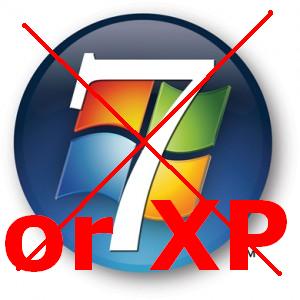
Windows 7Windows 7 has been out for a while now, but there is still millions with no intentions of upgrading from XP, here are my thoughts:-

Reasons to Stay with XP and Not Upgrade to Windows 7

1) You can’t actually upgrade from XP to Windows 7, so we are talking wiping the whole machine and starting again, that means copying all your settings, files, and re-installing all the software you use, so of which may not work now. There is actually ways of doing it, but in reality its not worth the hassle.

2) Most things have changed, just a bit to make it annoying, all the locations for all the things you know how to do in XP have changed, Control Panel, Settings, Wireless Settings, all the stuff you need to use, has all been moved and changed slightly.

3) XP works! You have been using it for how many years and has it let you down, do you actually need any of the extra features that Win 7 brings?

4) Windows XP is cheap, or cheaper, spend your money on a large hard drive, a new back drive, or some more memory?

5) Its still Windows, although it may look a bit dated XP, Windows 7 is essentially the same thing.

Reasons to Upgrade to Windows 7

1) It supports newer hardware; 64 bit operating systems are a reality with Windows 7, which mainly means you can have more than 3.5gb of RAM in use, something that is not really a viable option with Windows XP, for me this is the key reason i would upgrade, to have a machine with 6,8,10 GB of memory.

2) We all asked for the features, Windows 7 has fixed hundreds of little things that annoyed us or let us down in XP to make things just a little easier (once you know how to use them!)

3) Drivers and Devices, most of them work “out of the box” in with Win7, got a new printer, scanner or old camera, just plug it in, you have a decent chance that it will just work right away, no messing around.

4) Windows 7 has a better interface, no doubt it looks more snazzy and modern, although remember all that fancy scrolling and fading uses up your processor, memory and graphic resources.

5) HDTV and media, if you want to use it to watch HD movies and TV content, or have your PC connected to a TV screen,, upgrading to Windows 7 is a must, in my opinion.

As for me, well I have both, i am writing this on my trusty old XP machine, but have a Windows 7 box next to it which is used sometimes, I haven’t quite got round to spending the time i need to migrate everything over to Windows 7.


Should I buy an iPad or wait for the iPad2?

On the day that Apple launched the iPad over 300,000 were sold and an estimated 1 million in the first week.  The allure of this Wi-Fi tablet pc, taking up the shortfall in the gap between the iPhone and laptop which promised to surpass any tablet pc currently available, was obvious for all to see: sleek, small, light weight, portable and essentially beautiful; even before its functionality was even considered.  As the big sister of the iPhone, this was inevitably the gadget to have or at least hanker after.

Now that the release of iPad2 is rumoured to be taking place anytime from April 2011 the question that perhaps needs to be asked is whether the first one, in all its glossy magnificence actually lived up to expectations.

With an interface like that of the iPhone and iPod touch, with its resolution enhancing methods, it is elegant and easy to use.  Boasting an adequate processor, a ten hour battery life and brilliantly colourful screen it is perfect for surfing the web, reading books, newspapers or viewing PDF documents.  It also has a built in speaker, microphone and access to a vast amount of useful apps.

Whilst these attributes are numerous there also seems to be a disappointing downside to this appealing piece of hardware.  Surfing the internet is a pleasurable experience, a Facebook status can be easily updated and a Twitter feed easily followed; pleasurable that is until a website demands the use of Adobe Flash Player. Many websites that stream music or video such as BBC iplayer and certain apps on Facebook cannot be used without Flash but the iPad does not support it, thus streaming media from these sources is subsequently impossible, The iPad’s vivid screen is perfect for the gaming experience but aside from the various gaming apps other gaming websites are woefully inaccessible due to the fact they need Flash player.  (This is also the case with certain shopping websites examples include Moet,or Cartier)  Being a perfect viewing platform for photographs, not only does the iPad not have a camera but it also does not have USB port or SD card reader.  Although it is possible to read books, using the iBooks app and PDF documents, there is not a great range of textbooks available nor is it possible for the user to create a PDF document themselves.  There is also no drag and drop facility, which, with the added impracticality of the virtual keyboard makes it an unwieldy virtual office companion.  This can be alleviated by buying the Apple Keyboard Dock for approximately £60, but the benefits of this are surely outweighed by the iPads original portability.

Is it consequently fair to say that although the iPad, with its convenient Wi-Fi web browsing capabilities, is an improvement on the tablet pc but has genuine scope to better itself? Perhaps the release of iPad2 will remedy such irritations producing, with the addition of other snippets of genius, a product that is beyond censure.